Contract Transfers
The Contract Transfers section allows administrators to manage and monitor contract ownership transfers between users. This feature enables users to transfer their investment shares to other registered users on the platform.
Contract Transfers Overview
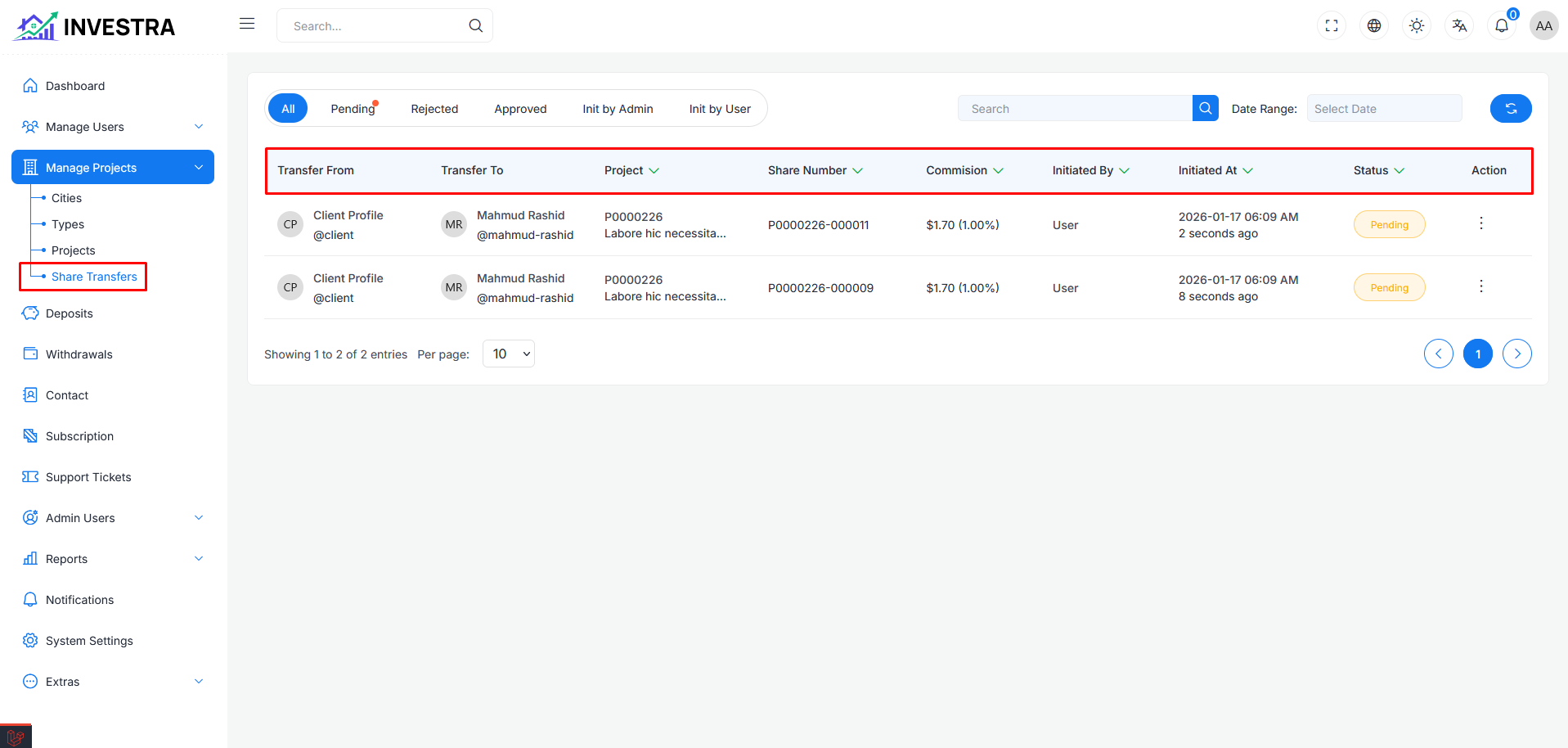
The Contract Transfers page displays all transfer requests in a table format. You can access this section from the sidebar under Manage Projects → Contract Transfers.
Each transfer displays:
- Contract ID: Unique identifier for the contract
- From User: The current owner transferring the contract
- To User: The recipient of the contract transfer
- Project: The project associated with the contract
- Amount: The value of the contract being transferred
- Status: Current status of the transfer (Pending, Approved, Rejected)
- Date: When the transfer was initiated
- Action: Options to manage each transfer
Page Controls
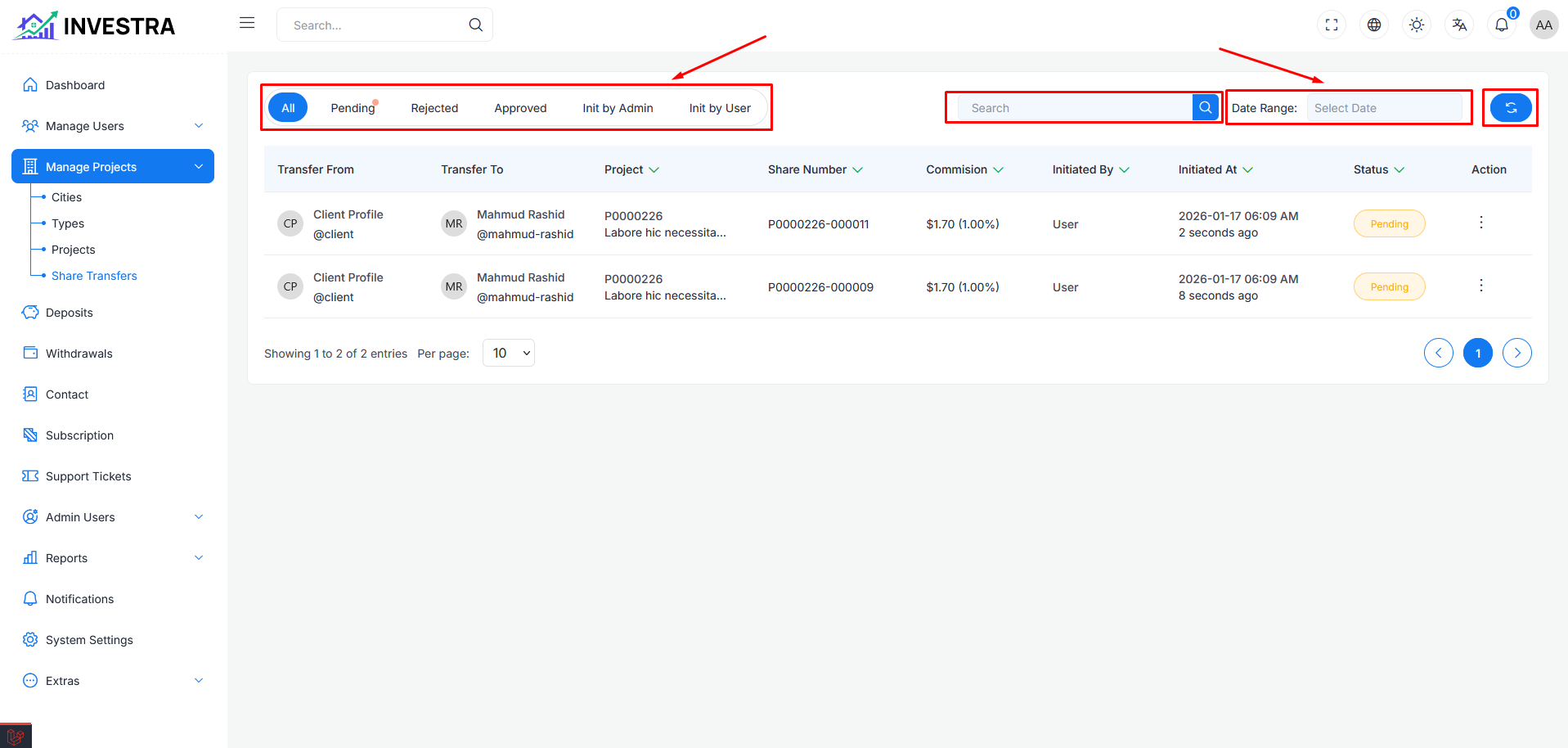
At the top of the page, you'll find the following controls:
- Search: Filter transfers by contract ID, user name, or project
- Status Filter: Filter by transfer status (All, Pending, Approved, Rejected)
- Refresh: Reload the transfers list
Transfer Management Actions
Action Menu Options
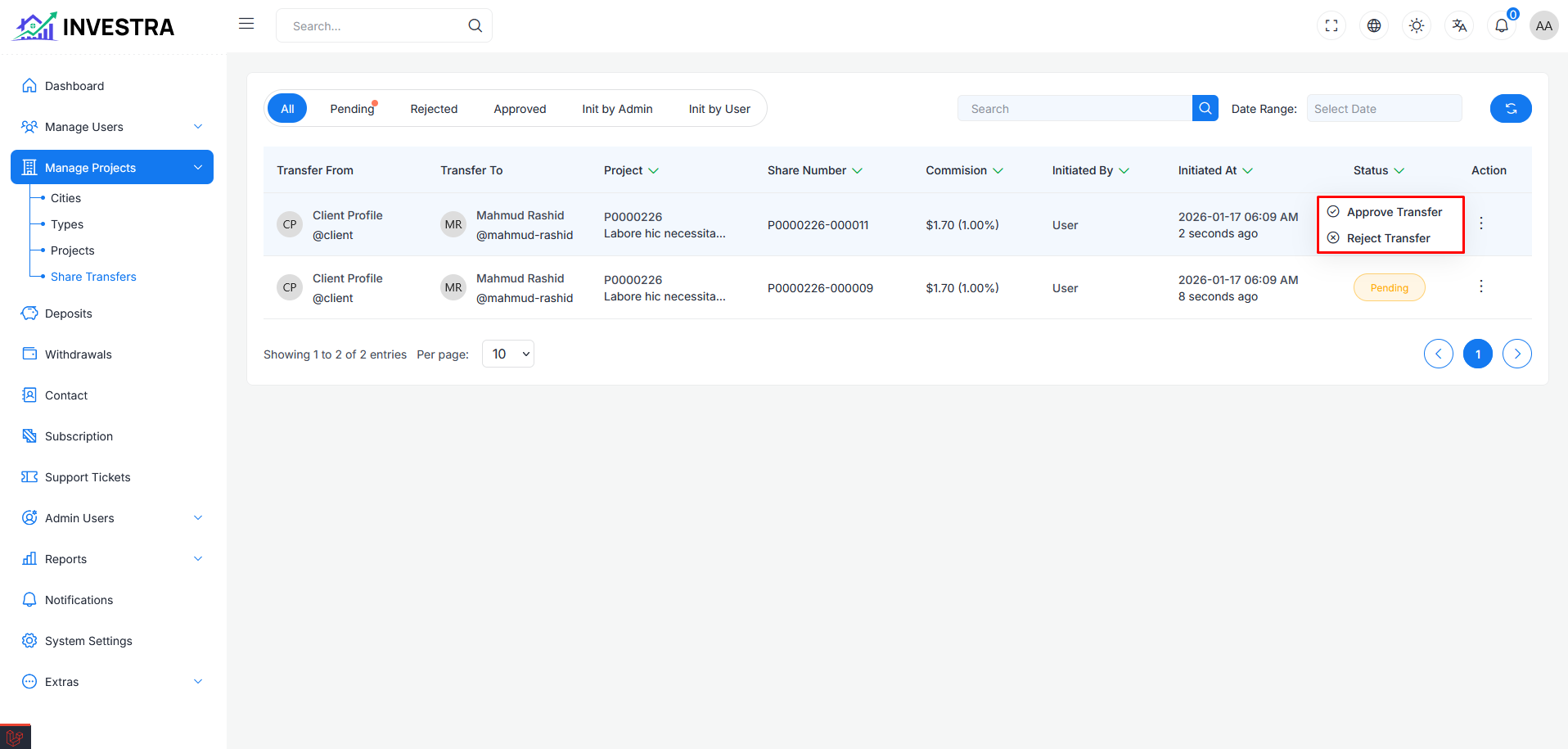
Each transfer row includes an action menu with the following options:
- View Details: View complete transfer information
- Approve: Approve the pending transfer request
- Reject: Reject the transfer request
- Change Status: Modify the transfer status
Approve Transfer Confirmation
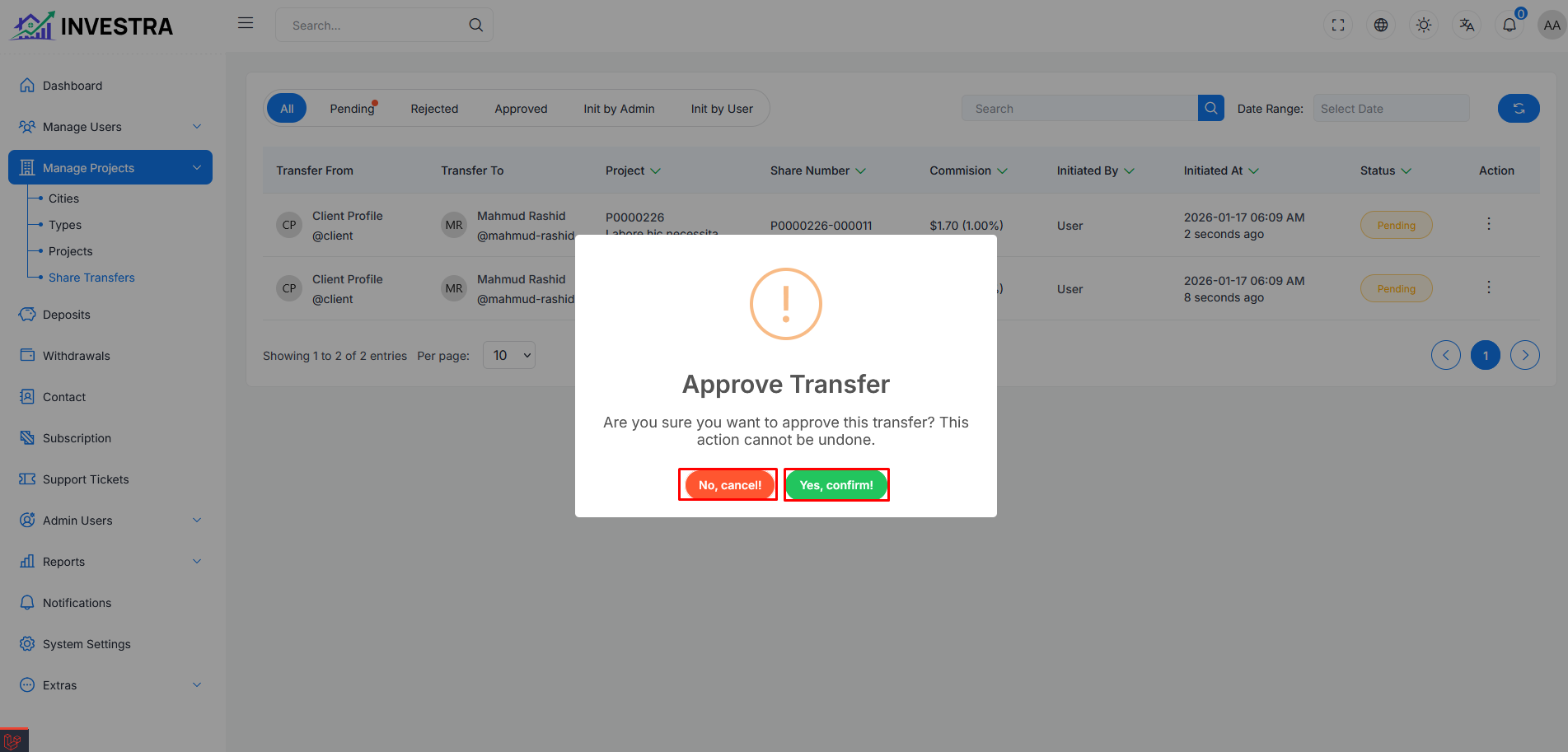
When selecting "Approve" from the action menu, a confirmation modal appears to verify the action:
Confirmation Dialog
- Warning Message: Confirmation prompt to approve the transfer
- Cancel Option: Button to abort the approval
- Confirm Option: Button to proceed with approving the transfer
This confirmation step ensures transfers are not accidentally approved, providing an extra layer of verification before ownership changes.
Transfer Workflow
- User Initiates Transfer: A contract owner requests to transfer their contract to another user
- Pending Review: The transfer appears in the admin panel with "Pending" status
- Admin Review: Administrator reviews the transfer details
- Approval/Rejection: Admin approves or rejects the transfer
- Completion: Upon approval, the contract ownership is updated